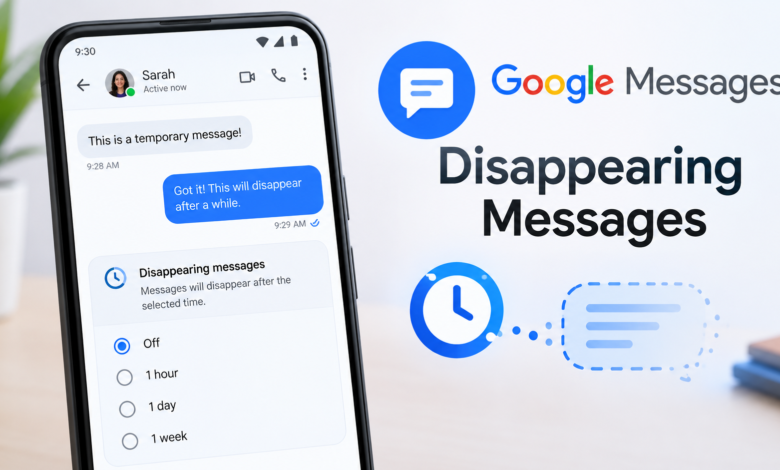
Google Messages Disappearing Messages Google Messages has become one of the most popular messaging apps for Android users, offering features that go far beyond sending ordinary SMS and MMS messages. As people become more conscious about digital privacy, features that automatically remove conversations have become increasingly interesting. This is where the idea of Google Messages disappearing messages comes in.
Disappearing messages are designed to make certain conversations less permanent by automatically deleting messages after a specific period or under particular conditions. While the exact availability and behavior of disappearing-message features can depend on the conversation type, app version, and Google’s current messaging features, the general goal is simple: give users more control over how long their messages remain visible.
For anyone who uses Google Messages for personal conversations, work-related communication, or private discussions, understanding how disappearing messages work can be useful. It can help you make better decisions about privacy, storage, notifications, screenshots, and the information you share through a messaging app.
What Are Google Messages Disappearing Messages?
The term Google Messages disappearing messages generally refers to messages or conversations that are designed to automatically disappear instead of remaining permanently in the chat history. This type of feature is commonly associated with privacy-focused messaging because it reduces the amount of old conversation data stored in a chat.
The concept is straightforward. Instead of manually deleting every message, a user can use an automatic deletion setting where supported. After the selected period or condition is reached, eligible messages are removed from the conversation. This can be especially convenient when a conversation contains temporary information that does not need to be saved indefinitely.
However, disappearing messages should not be confused with completely private communication. Automatic deletion can remove a message from the messaging application, but it cannot guarantee that another person has not already copied, forwarded, photographed, or otherwise saved the information. Digital privacy always depends on more than one setting.
Why Are Disappearing Messages Useful?
One of the biggest advantages of disappearing messages is convenience. People often accumulate years of conversations, including messages that are no longer useful. Automatically removing temporary messages can make it easier to keep conversations organized without requiring constant manual cleanup.
Privacy is another important reason users may be interested in this feature. If a phone is shared with family members or someone else occasionally has access to the device, keeping fewer old conversations available can reduce the amount of personal information sitting in the app. It can also be useful for sensitive conversations that are not intended to remain visible forever.
Disappearing messages can also encourage people to think more carefully about digital communication. Knowing that a message may eventually disappear can make temporary conversations feel less permanent. At the same time, users should remember that disappearing does not necessarily mean unrecoverable or impossible to save.
How Google Messages Handles Message Deletion
Google Messages can contain different types of conversations, and the behavior of messages may vary depending on whether the conversation uses traditional SMS/MMS or newer messaging technology such as RCS. This distinction is important when discussing automatic deletion and privacy features.
RCS provides a more modern messaging experience than traditional SMS. Depending on the supported features and settings, RCS conversations can offer read receipts, typing indicators, higher-quality media sharing, and other capabilities. Because of these differences, users should check the settings available in their particular Google Messages installation rather than assuming every conversation supports exactly the same options.
Another important point is that deleting a message from your own Google Messages app does not necessarily delete it from another person’s phone. Message deletion and message recall are different concepts. Removing something locally should not be interpreted as a guarantee that the recipient’s copy has also disappeared.
Are Google Messages Disappearing Messages Available for Everyone?
This is one of the most important questions surrounding the feature. Google frequently updates its apps, and messaging capabilities can change depending on the Android version, Google Messages version, device manufacturer, account configuration, region, and type of conversation.
Because of these variables, two Android users may not always see identical options inside Google Messages. A feature can also be introduced gradually, tested with selected users, or changed as Google updates its messaging platform.
If you are looking for a disappearing-message option and cannot find it, that does not necessarily mean you are doing something wrong. First, make sure Google Messages is updated. Then check the conversation settings and the application’s general settings for privacy or message-management options. If the option is unavailable, it may simply not be supported for your particular setup.
How to Check Your Google Messages Settings
The easiest way to understand what privacy and deletion controls are available is to open Google Messages and review its settings. Start by opening the app on your Android phone and selecting the conversation you want to manage.
Depending on your version of the app, you can tap the contact or conversation information area to see available settings. Look for options related to message management, chat features, privacy, or automatic deletion. The wording and location of settings can change as Google updates the application.
It is also worth checking the Google Messages Disappearing Messages Messages app through the Play Store to make sure you are running the latest available version. An outdated app may not display newer settings or may behave differently from current versions. Keeping the app updated is generally a good practice for both functionality and security.
Disappearing Messages vs. Manually Deleting Messages
There is an important difference between automatic disappearing messages and manually deleting a conversation. Manual deletion requires you to decide when a message or conversation should be removed. Disappearing messages, where available, are intended to automate that process.
Manual deletion can be useful when you want immediate control. For example, if you accidentally send something to the wrong person or simply no longer need a conversation, you can remove it from your device according to the options Google Messages Disappearing Messages Messages provides.
Automatic deletion is more convenient for recurring cleanup. Instead of remembering to remove old messages yourself, the system can handle eligible messages based on its configured behavior. This can be especially useful for users who receive a large number of messages every day.
Do Disappearing Messages Improve Privacy?
They can improve privacy in certain situations, but they should not be treated as a complete privacy solution. The biggest benefit is that fewer old messages remain visible in the messaging application after they have been automatically removed.
For example, imagine that you frequently discuss temporary plans, addresses, appointment details, or other information that has little value after a certain period. Automatically removing old messages can reduce the amount of historical information sitting in your chat list.
However, disappearing messages cannot prevent someone from saving information before it disappears. A recipient can potentially take a screenshot, copy text, save a photo, forward a message, or photograph the screen using another device. Therefore, you should always treat a message as potentially permanent once it has been sent.
Can Someone Screenshot a Disappearing Message?
A common misunderstanding is that disappearing messages automatically prevent screenshots. In general, users should never assume that an automatic deletion feature can stop someone from capturing information.
Modern smartphones make it easy to take screenshots or record information displayed on the screen. Even if a message is scheduled to disappear later, the recipient may have already saved its contents.
For this reason, disappearing messages should be viewed as a way to reduce the lifespan of information inside a messaging app, rather than a guarantee that the information cannot be preserved. If something is extremely private or sensitive, think carefully before sending it.
What Happens When a Message Disappears?
When an eligible message reaches the condition required for automatic deletion, it may no longer appear in the conversation on the device. The exact behavior depends on the feature being used and the type of messaging conversation.
Users should also understand that disappearing from the visible conversation does not necessarily mean every possible copy of the information has been destroyed. There may be notifications, screenshots, forwarded copies, backups, or other records depending on the devices and services involved.
This is why automatic deletion should be considered one layer of privacy rather than a complete security system. Good digital privacy comes from combining sensible messaging settings with careful sharing habits.
Google Messages and RCS Privacy
RCS has changed the way many Android users communicate by providing features that are closer to those found in modern internet-based messaging platforms. However, privacy expectations still need to be realistic.
The availability of encryption and other security protections can depend on the specific conversation and participants. Users should check the information Google Messages Disappearing Messages provides about their current chat rather than assuming every message has identical security properties.
It is also important to distinguish privacy from disappearing messages. A conversation can have strong security protections while still remaining in the chat history for a long time. Conversely, automatic deletion can remove messages from a conversation without preventing the recipient from preserving their contents.
Common Problems With Disappearing Messages
One issue users may encounter is simply not seeing a disappearing-message option. As mentioned earlier, this can happen because the feature is not available for a particular account, conversation, device, region, or version of Google Messages Disappearing Messages Messages.
Another problem is misunderstanding what deletion actually means. A user may expect a message to disappear from both phones, only to discover that deleting something on their device does not remove the recipient’s copy. This distinction is particularly important when dealing with private information.
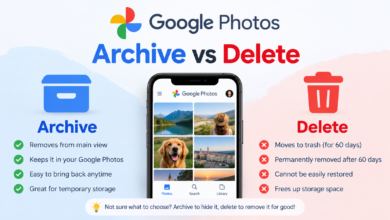
Users may also confuse disappearing messages with archived or muted conversations. Archiving generally changes how a conversation is displayed in the app; it does not mean the messages have automatically been destroyed. Similarly, muting notifications does not delete message history.
How to Protect Your Privacy in Google Messages
Disappearing messages are only one part of a broader privacy strategy. Start by using a strong screen lock on your Android device. A secure PIN, password, or supported biometric authentication can prevent unauthorized people from easily opening your messaging application.
You should also be careful with message previews on the lock screen. If private message content appears in notifications, someone who can see your locked phone may still be able to read sensitive information without opening Google Messages Disappearing Messages Messages.
Finally, think about what you send. No messaging feature can completely control what happens after a message reaches another person’s device. Avoid sending passwords, financial information, authentication codes, or other highly sensitive information through ordinary chats unless you understand the security implications.
Frequently Asked Questions About Google Messages Disappearing Messages
Does Google Messages have disappearing messages?
Google Messages Disappearing Messages Messages has introduced and tested various messaging and privacy-related capabilities over time, but the exact disappearing-message functionality available can vary by version, device, account, and conversation type. Check the latest settings available in your Google Messages app.
Can disappearing messages be recovered?
Once a message has been automatically deleted, recovery may not be straightforward. However, deletion from the messaging interface does not guarantee that no other copy exists. Screenshots, forwarded messages, notifications, backups, or copies on another device may still exist.
Do disappearing messages delete from both phones?
You should not assume that deleting or automatically removing a message from your phone also removes the recipient’s copy. Message deletion and remote deletion are different functions.
Are disappearing messages completely private?
No messaging feature can guarantee complete privacy. Disappearing messages can reduce how long information remains visible in a chat, but recipients may still save or copy the content.
Why can’t I find disappearing-message settings?
The option may not be available on your particular version of Google Messages Disappearing Messages Messages or for the type of conversation you are using. Updating the app and checking current conversation and messaging settings can help determine what features are supported.
Final Thoughts on Google Messages Disappearing Messages
Google Messages disappearing messages can be useful for people who want better control over how long certain conversations remain visible. Automatic deletion can reduce chat clutter, limit the amount of old information stored in an app, and provide an additional layer of privacy for temporary conversations.
At the same time, it is important to understand what the feature does not do. A disappearing message is not necessarily a message that becomes impossible to save. Recipients can potentially capture, copy, forward, or otherwise preserve information before it disappears.
The smartest approach is to combine Google Messages privacy settings with responsible messaging habits. Keep your phone protected, review notification settings, update the application regularly, and avoid sending information that you would not want another person to retain. When used with realistic expectations, disappearing messages can be a practical part of a more privacy-conscious messaging routine.